Aumio Meditation and Relaxation App for Children
Playfully reduce stress and practice mindfulness with your child
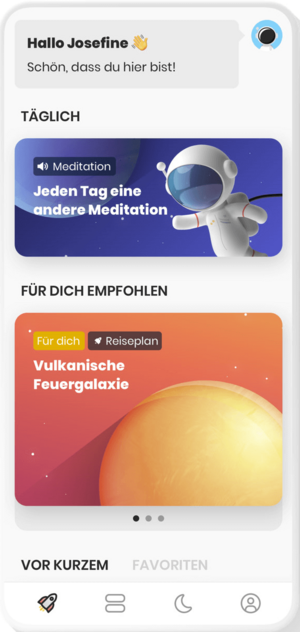
Aumio is a meditation and relaxation app for children that playfully supports them in growing up healthy, confident, and less stressed. Children learn to take care of their well-being, for example by falling asleep more easily and feeling more relaxed overall. All content has been developed by clinical psychologists. Your child can use Aumio flexibly at any time and from any location, including offline.
A fun way to reduce stress and practice mindfulness
Together with a little astronaut, your child sets off on a journey through the universe of emotions. Along the way, they visit planets like the "Anger Planet" and learn how to manage impatience, fear, sadness, and frustration.
The app helps children treat themselves with compassion and deal better with difficult feelings. It also supports falling asleep more easily when restlessness sets in.
For every completed exercise or module, your child collects stars, which can be exchanged for fun customizations like new hairstyles, space suits, or glasses for their avatar. After completing special exercises or courses, children earn badges that are saved in their virtual travel passport.
Exercises and Courses Included in Aumio
Aumio includes numerous audio and video sessions, such as meditations, relaxation stories, bedtime tales, and soothing soundscapes. It also offers practical exercises to support you in everyday stressful situations – like a last-minute homework emergency.
Aumio offers over 100 audio and video units with more than 30 hours of content, including:
What costs does SBK cover?
The Aumio app is available free of charge for SBK-insured children aged 6 to 12. SBK covers the full cost once for a 12-month period.
How to use the Aumio app
To use Aumio, simply register within the app. You'll need your child’s SBK insurance number, which can be found on their SBK healthcare card.
Once registration is complete, you can add more children from the same family to the account, allowing each child to use the app according to their own needs. To use the subscription on multiple devices, simply go to: Settings > Subscription > Transfer subscription and scan the QR code with the second or third device.
This might interest you

Happy children are strong

Benefit from additional services and bonuses during pregnancy and after childbirth

Medical advice on pregnancy and children


